
Introduction
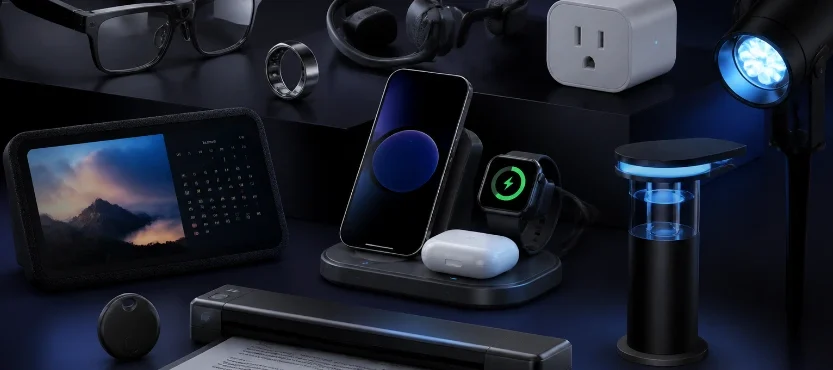
Smart gadgets are most useful when they solve a problem, save time or make an everyday task more convenient. That could mean finding misplaced keys, charging several devices from one station, organizing a busy household calendar or controlling outdoor lights from your phone.
The challenge is separating genuinely useful technology from products that look impressive but offer little practical value.
This guide brings together 10 smart gadgets worth considering in 2026. The selection includes connected accessories, personal technology, productivity tools and smart-home upgrades. Each recommendation has a specific purpose, so you can decide which ones fit your routine rather than buying technology simply because it looks interesting.
Check Out More On: Smart Gadgets and Connected Technology
10 smart gadgets worth considering
| Smart gadget | Best for | Main benefit | Price |
| Life360 Tile trackers | Finding everyday items | Bluetooth item tracking | $24.24 |
| Supvan E10 label maker | Home and office organization | App-connected labels | $16.99 |
| Anker Prime 250W Charger | Charging multiple devices | Six charging ports | $149.99 |
| Ray-Ban Meta Gen 3 | Hands-free personal technology | Camera, audio and AI | $449.00 |
| Shokz OpenRun Air 2 | Outdoor activities | Open-ear listening | $129.95 |
| Skylight Calendar 2 | Household planning | Shared digital calendar | $319.99 |
| ScanSnap iX1300 | Paperwork and documents | Compact document scanning | $279.99 |
| Govee Outdoor String Lights 2 | Outdoor lighting | App and voice controls | $129.99 |
| Kasa EP40A Outdoor Smart Plug | Outdoor device control | Remote switching and schedules | $34.99 |
| HARYMOR Smart Bird Feeder | Backyard birdwatching | Camera and bird identification | $99.99 |
1. Life360 Tile Trackers: Find keys, bags and everyday essentials
Misplacing keys, wallets or bags can interrupt an otherwise organized day. Bluetooth trackers help you locate these belongings without having to search every room.
The Life360 Tile range includes different tracker shapes for different items:
- Tile Mate: A general-purpose tracker for keys, backpacks and everyday bags.
- Tile Slim: A thin design that fits into wallets, passport holders and luggage.
- Tile Sticker: A compact adhesive tracker for compatible items such as remotes and other small belongings.
- Tile Pro: A tracker with a louder ring and longer advertised Bluetooth range than the other models.
The trackers connect with the Life360 app, allowing you to use your phone to ring a nearby Tile and check its last known location. Features and availability can vary by model and generation.
Why it’s useful: Instead of buying one tracker and trying to attach it to everything, you can choose a different form factor for your keys, wallet and travel bag.
What to consider: Check smartphone compatibility, the tracker’s advertised range and battery type before ordering. Bluetooth trackers are not the same as live GPS devices, so they should not be treated as continuous location trackers.
Best for: People who frequently misplace everyday belongings, commuters and travelers.
Don’t Miss: Useful Travel Gadgets
2. Supvan E10 Label Maker: Make home and office organization easier
A label maker might not seem like an exciting gadget, but it can make a noticeable difference when organizing storage spaces, work supplies and household essentials.
The Supvan E10 is an app-connected label maker designed to create labels using a compatible smartphone. Instead of handwriting every label, users can prepare text and organize labels through the companion app.
You can use a label maker for:
- Storage boxes and household containers
- Cables, chargers and electronic accessories
- Office supplies and document folders
- Pantry organization
- Travel organizers and luggage accessories
The biggest advantage is consistency. Clearly labeled containers make it easier to identify stored items, especially when several boxes look alike.
Why it’s useful: It turns an ordinary organization task into a repeatable system. You can create matching labels for different rooms, shelves and storage categories.
What to consider: Check the supported label tape sizes, printing technology, app compatibility and ongoing tape costs. Also confirm whether the model supports the label formats you actually need.
Best for: Home organizers, small offices, students and people managing lots of storage boxes.
3. Anker Prime Charger 250W: Charge several devices from one station
A desk can quickly become crowded with separate chargers for phones, tablets, laptops, headphones and other electronics.
The Anker Prime Charger (250W, 6 Ports, GaNPrime) provides four USB-C ports and two USB-A ports in one charging station. Its total advertised output reaches 250W, making it suitable for users who regularly charge several compatible devices.
Anker lists a maximum single-port output of up to 140W on its primary USB-C port, while the other USB-C ports support up to 100W individually. Actual power distribution depends on which ports are being used and the connected devices.
This is particularly useful for a shared workspace or a home office where several devices need power throughout the day.
Why it’s useful: One charging station can replace several individual USB adapters and reduce cable clutter.
What to consider: This is a premium charging accessory, not a basic phone charger. Check your laptop’s charging requirements, cable ratings and the charger’s power distribution before purchasing. Six ports do not mean every device receives its maximum charging speed simultaneously.
Best for: Laptop users, technology enthusiasts, remote workers and multi-device households.
4. Ray-Ban Meta Gen 3: Smart glasses for hands-free technology
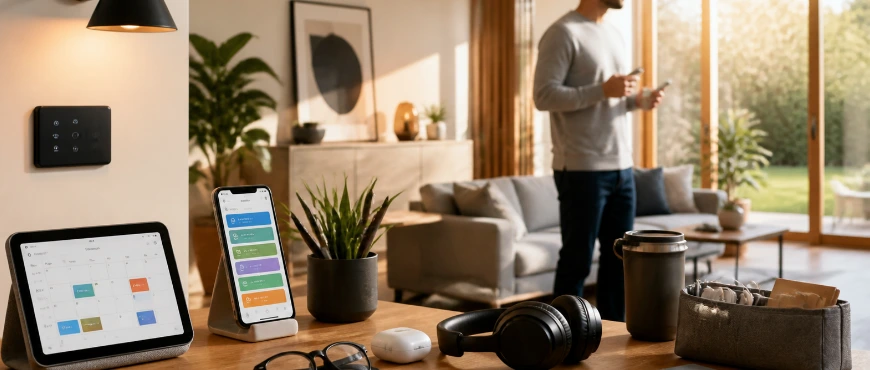
Smart glasses have moved beyond experimental-looking wearable devices. The Ray-Ban Meta Gen 3 combines familiar eyewear styling with a camera, open-ear audio and Meta AI features.
Depending on the supported feature and region, users can:
- Capture photos and videos hands-free.
- Listen to music and other audio.
- Make calls using built-in audio controls.
- Use Meta AI for voice-based assistance.
- Access supported translation and reminder features.
The Gen 3 model includes a 12MP ultra-wide camera and supports video recording up to 3K. Ray-Ban lists up to nine hours of use on a single charge, although actual battery life depends on usage.
The glasses are particularly interesting for people who want to capture moments without constantly taking their phone out of a pocket.
Why it’s useful: It combines everyday eyewear with audio, camera and assistant functions in a wearable format.
What to consider: Smart glasses are not a replacement for a smartphone. Check phone compatibility, regional AI availability, prescription options and battery expectations. Be mindful of other people’s privacy when recording; follow local rules and respect consent.
Best for: People interested in wearable technology, hands-free photography and voice-controlled assistance.
Read More : Smart Wearable Technology
5. Shokz OpenRun Air 2: Open-ear headphones for outdoor activities
Traditional headphones cover the ears or sit inside them. Open-ear headphones take a different approach, allowing users to listen while remaining more aware of surrounding sounds.
The Shokz OpenRun Air 2 uses bone-conduction technology and an open-ear design. The manufacturer lists features including:
- Up to 10 hours of listening time.
- IP67 dust and water resistance.
- Bluetooth 6.0 connectivity.
- Multipoint pairing for two devices.
- Physical buttons for playback, calls and volume.
- Companion-app controls and audio settings.
The design makes it an option for running, walking and other outdoor activities where awareness of the surroundings matters.
Why it’s useful: It offers an alternative to conventional in-ear headphones for people who prefer not to block their ears during everyday listening.
What to consider: Open-ear headphones do not provide the same sound isolation as noise-cancelling models. Sound quality and bass perception are different from traditional headphones. Water resistance also does not mean the device is suitable for swimming.
Best for: Runners, walkers and people who prefer open-ear listening.
Check Out: Smart Household Gadgets
6. Skylight Calendar 2: Keep household schedules in one place
Managing family appointments, school activities, work commitments and household tasks can become difficult when everyone uses a different calendar.
The Skylight Calendar 2 is a digital household calendar designed to display schedules and shared tasks on a dedicated screen.
Rather than checking several phones, family members can use a shared display to see upcoming activities and keep track of household responsibilities. Its calendar integrations can help bring existing schedules together, depending on the services and settings supported.
It can be particularly helpful in a kitchen, hallway or shared workspace where everyone can see the day’s plans.
Why it’s useful: A shared calendar makes household planning more visible and can reduce the need to repeatedly ask who has an appointment or task.
What to consider: Check supported calendar services, subscription requirements, screen size and the setup process. A dedicated calendar display is most valuable when multiple people will actually use it.
Best for: Families, busy households and people coordinating shared schedules.
7. ScanSnap iX1300: Turn paper documents into digital files
Receipts, forms, printed documents and paperwork can accumulate quickly. A compact document scanner helps convert physical pages into digital files that are easier to store and organize.
The Ricoh ScanSnap iX1300 is a compact document scanner designed for home and office workflows. It supports USB and Wi-Fi connectivity, allowing users to scan documents and send digital files into supported storage and document-management workflows.
Potential uses include:
- Digitizing receipts and invoices
- Storing important household documents
- Organizing printed forms
- Creating searchable digital records
- Reducing physical paperwork
Why it’s useful: Instead of keeping every document in a physical folder, you can build a searchable digital filing system.
What to consider: Check operating-system compatibility, supported paper sizes, scanning speed and the software features included with the current model. A dedicated scanner may be unnecessary if you only digitize a few pages occasionally.
Best for: Home offices, freelancers, small businesses and people managing substantial paperwork.
8. Govee Outdoor String Lights 2: Add smart lighting to outdoor spaces
Outdoor lighting can make patios, balconies and backyard seating areas more useful after sunset. Smart string lights add app-based controls and customizable lighting effects.
The Govee Outdoor String Lights 2 offer app and voice control through compatible systems, including Alexa and Google Assistant. Depending on the selected version, the lights provide RGBIC and warm-white lighting, dimming and customizable color effects.
The Govee app also offers scene settings and music-sync effects, giving users more control than a basic outdoor light string.
The product comes in different lengths, so it is important to select the right version for the space.
Why it’s useful: You can adjust brightness and lighting effects without manually switching between settings on the light string.
What to consider: Check the exact model number, string length, power requirements and weather-resistance rating. The manufacturer lists IP65 protection for the light string and control box on the models covered by its specifications. Installation should still follow the product instructions.
Best for: Homeowners and renters with suitable outdoor spaces, patios and covered entertainment areas.
9. Kasa EP40A Outdoor Smart Plug: Control outdoor devices remotely
Outdoor lights, seasonal decorations and other compatible electrical devices can be inconvenient to switch on and off manually.
The TP-Link Kasa EP40A Outdoor Smart Plug adds app-based and voice control to compatible outdoor equipment. It has two independently controllable outlets, allowing users to manage two connected devices.
Its features include:
- Remote control through the Kasa app.
- Scheduling and automatic on/off routines.
- Alexa and Google Assistant compatibility.
- Apple Home support.
- IP64 weather resistance.
- Wi-Fi connectivity without a separate hub.
For example, you could schedule compatible patio lights to turn on in the evening and switch off later without remembering to operate them manually.
Why it’s useful: It makes ordinary compatible outdoor devices easier to control and schedule.
What to consider: Check the connected device’s power requirements and the plug’s maximum load. The EP40A is designed for suitable outdoor use, but it must be installed and positioned according to the manufacturer’s weather-protection instructions. It does not make every connected appliance smart or suitable for remote operation.
Best for: People with outdoor lighting, seasonal decorations or compatible electrical equipment.
Check Out : Smart Household Gadgets
10. HARYMOR Smart Bird Feeder: Explore backyard wildlife with a camera
A smart bird feeder adds a camera and connected features to an ordinary backyard birdwatching setup.
The HARYMOR Smart Bird Feeder combines a feeder with a camera, app connectivity, motion alerts and solar-charging features on supported configurations. Its AI-assisted bird identification is designed to help users learn which birds visit the feeder.
Instead of watching the feeder continuously, you can receive notifications and review captured footage through the associated app.
This makes it an interesting option for families, garden enthusiasts and people who enjoy observing local wildlife.
Why it’s useful: It adds a camera-based way to observe bird activity and save footage without having to stand beside the feeder.
What to consider: AI identification is not always accurate, particularly when images are unclear or a bird is partially hidden. Check camera resolution, storage options, subscription requirements, solar-panel configuration and Wi-Fi coverage before purchasing.
Best for: Backyard birdwatchers, families and nature enthusiasts.
Check Out: Healthcare Gadgets
How to choose the right smart gadgets
The best smart gadget is not necessarily the newest or most expensive one. Start with a problem you want to solve, then compare products based on their usefulness and compatibility.
1. Identify the task you want to improve
Think about where you lose time or experience inconvenience.
- Frequently lose keys or bags? Consider a Bluetooth tracker.
- Have too many chargers on your desk? Consider a multi-port charging station.
- Struggle to coordinate family schedules? A shared digital calendar may help.
- Want more control over outdoor lighting? Look at smart plugs or connected lights.
- Need to organize paperwork? A document scanner could be useful.
A clear use case makes it easier to avoid buying gadgets that will rarely be used.
2. Check compatibility before purchasing
Smart gadgets often depend on companion apps, wireless connections or specific operating systems.
Before ordering, confirm:
- Whether the product works with your smartphone.
- Whether it requires a particular app or account.
- Whether it supports Alexa, Google Assistant or Apple Home, if needed.
- Whether it needs a hub or a compatible Wi-Fi network.
- Whether all advertised features are available in your region.
Compatibility matters more than a long list of features if the gadget cannot work with your existing devices.
Don’t Miss: Smart Kitchen Gadgets
3. Look beyond the purchase price
Some products have additional costs that are easy to overlook.
Consider replacement batteries, proprietary cables, label tape, subscriptions, cloud storage and optional accessories. A device with a low initial price may cost more to maintain than expected.
4. Consider privacy and data collection
Connected cameras, microphones, trackers and wearables may collect or process personal information.
Before buying, review the manufacturer’s privacy policy and check:
- What information the device collects.
- Whether recordings or data are stored in the cloud.
- Whether a subscription is required.
- Whether you can delete stored data.
- Whether the device offers useful privacy controls.
This is particularly important for smart glasses, cameras and household devices used around other people.
5. Choose reliability over novelty
A gadget should make a task easier without introducing unnecessary complications. Look for clear product documentation, software support, warranty information and credible reviews.
Avoid choosing a device solely because it has AI features, colorful lighting or an impressive product video. Focus on whether it performs the task you actually need.
Are smart gadgets worth buying?
Smart gadgets can be worthwhile when they solve a recurring problem. A tracker can help locate misplaced belongings, a charging station can simplify a crowded desk, and a shared calendar can make household planning easier.
However, not every task needs a connected device. A basic desk lamp, ordinary storage box or traditional notebook may work just as well as a more expensive smart alternative.
The most sensible approach is to buy technology selectively. Start with one or two products that address a genuine inconvenience, learn how they fit into your routine and expand from there.
Frequently asked questions about smart gadgets
What are smart gadgets?
Smart gadgets are electronic devices that use technology such as Bluetooth, Wi-Fi, sensors, apps or automation to perform tasks or provide additional functionality. Examples include Bluetooth trackers, smart plugs, connected lighting, digital calendars and smart glasses.
Which smart gadgets are most useful for everyday life?
Bluetooth trackers, multi-port charging stations, app-connected label makers, digital calendars and smart plugs are practical choices for many households. The best option depends on the task you want to simplify.
Do all smart gadgets need Wi-Fi?
No. Some gadgets use Bluetooth, while others work independently or connect through a wired connection. Smart plugs, connected lighting and many home devices generally need Wi-Fi or another compatible network to provide remote features.
Are smart gadgets compatible with every smartphone?
No. Compatibility varies by manufacturer, operating system and product generation. Check the supported Android and iOS versions, companion app requirements and regional availability before purchasing.
Are smart gadgets safe to use?
Most everyday smart gadgets are designed for normal consumer use, but safety depends on the product and how it is installed. Follow the manufacturer’s instructions, check electrical ratings and keep device software updated. Review privacy settings on products with cameras, microphones or location features.
Do smart gadgets require monthly subscriptions?
Some do, but many do not. Subscription requirements vary by product and feature. Cloud video storage, advanced AI services and certain connected-device features may require recurring payments, so check the full cost before buying.
Final thoughts
Smart technology is most valuable when it fits naturally into everyday life. A tracker can help prevent time-consuming searches, a charging station can make a workspace neater, and connected lighting can make outdoor spaces easier to manage.
The 10 smart gadgets in this guide cover different needs rather than trying to do the same job. Choose based on your routine, existing devices, budget and the features you will genuinely use.
You do not need to turn your entire home into a smart home. A few carefully selected gadgets can make everyday tasks more convenient without adding unnecessary complexity.
Read More: Technology Guides and Gadget Insights
